订阅配置频道
系统可以被方便的订阅到我们刚才创建的配置频道。以下是步骤。
节点机配置:
被配置的节点机需要打开如下配置:
# rhn-actions-control --enable-all
订阅到频道
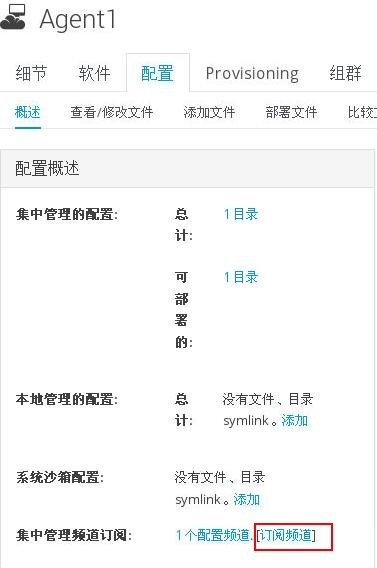
在系统-> 配置中,点击"订阅频道", 如下图所示:
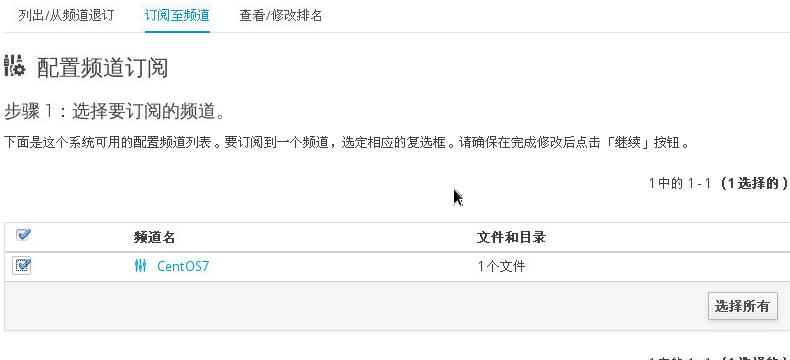
选择上相关的频道后,点击"继续":
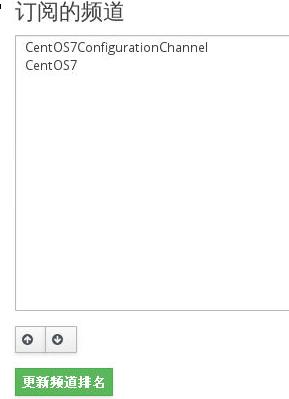
如果已经订阅有其他的频道后,则需要对新加入的系统进行排名:
应用频道内容
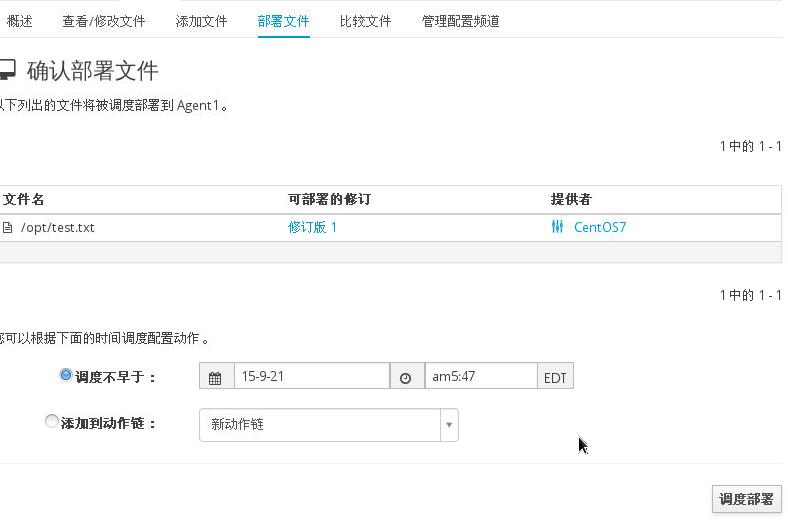
点击 系统-> 配置 -> 部署文件, 可以看到我们创建的频道里可部署的文件:
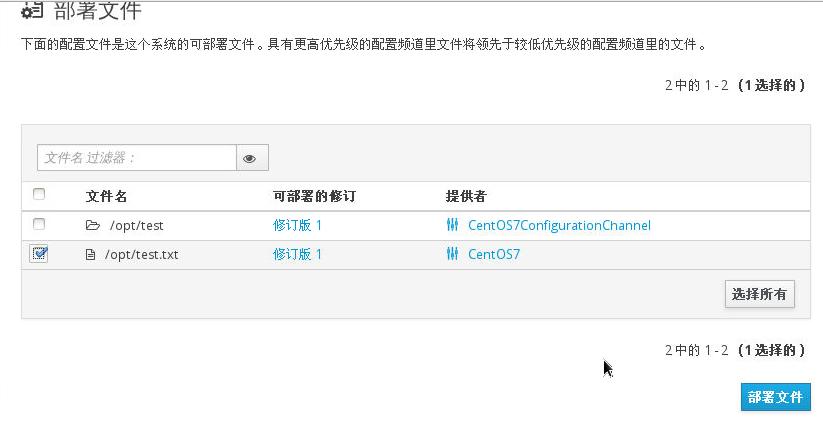
选择好部署文件后点继续, 进入到调度步骤:
检查部署结果
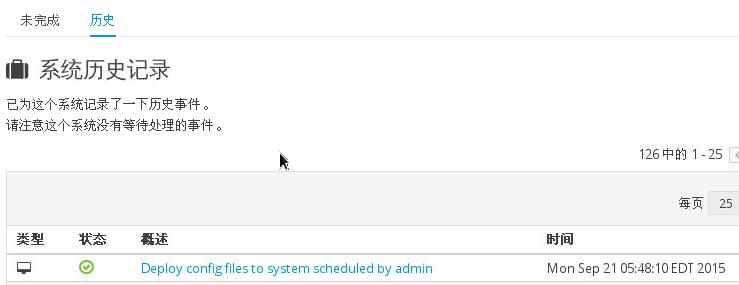
在系统-> 事件 -> 历史中可以看到我们部署的配置文件执行情况:
在节点机器上,可以检查文件是否被创建成功:
[root@Agent1 ~]# ls -l -h /opt
total 4.0K
drw-r--r-- 2 root root  6 Sep 21 16:46 test
-rw-r--r-- 1 root root 38 Sep 21 17:48 test.txt
[root@Agent1 ~]# cat /opt/test.txt
Hello, Configuration From Spacewalk!!!